
I tested every free AI video generator I could find over the past two weeks, using the same prompt on each one: a golden retriever running through a field of wildflowers at sunset. The results ranged from stunning to "what happened to that dog's legs?", so let me save you the time and break down what actually works without spending a dollar.
The free AI video generator market has exploded in 2026. Almost every major platform now offers some kind of free tier, but the quality gap between them is massive. Some give you genuinely usable output. Others feel like they're running models from 2024. Here are the seven best options I found, ranked by what you actually get for free.
1. Flashloop, Best Free AI Video Generator Overall
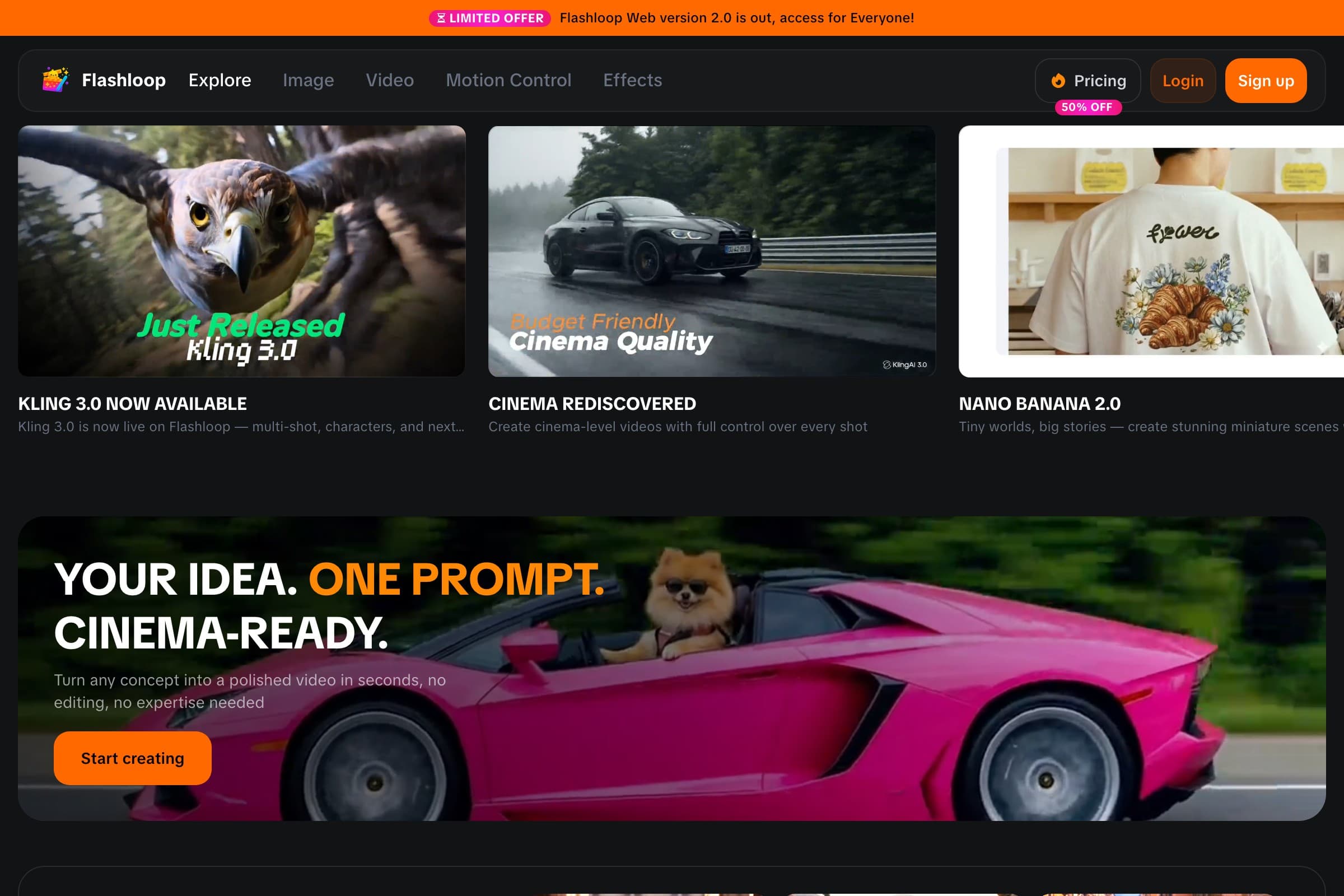
Flashloop's free tier is the most complete free AI video generator available right now. You get daily credits to generate videos using multiple state-of-the-art models, Kling, Wan, Seedance, and more, all from one interface. That's the key advantage: instead of signing up for five different platforms, you test different models side by side and pick the best result.
The free tier includes both text-to-video and image-to-video generation. Output quality is the same as paid, you're not getting a downgraded model. The limitation is the number of generations per day, not the quality of each one.
- What's free: Daily credits for video generation across multiple AI models
- Quality: Excellent, same models as paid tiers (Kling 2.6, Wan 2.1, Seedance 1.5)
- Limitations: Limited daily generations; longer queues during peak hours
- Best for: Anyone who wants to compare models without juggling multiple accounts
If you're only going to try one free AI video generator, make it Flashloop. The multi-model access alone puts it ahead of everything else on this list.
2. Kling AI, Best Free Tier for Consistent Quality
Kling offers daily free credits on their own platform. The model quality is legitimately good, Kling 2.6 produces smooth, realistic motion with solid character consistency. The free tier gives you enough to generate a few clips per day, which is fine for experimentation.
The catch? Free outputs come with a watermark, and you're locked to lower resolution. If you need clean, high-res clips, you'll hit the paywall fast. But for testing ideas and learning what works, it's a strong option.
- What's free: Daily credit allocation, text-to-video and image-to-video
- Quality: Very good, Kling 2.6 is a top-tier model
- Limitations: Watermark on free clips, lower resolution, limited daily credits
- Best for: Quick prototyping when you know Kling's model works for your style
3. Runway, Free Credits for Pro-Level Output
Runway gives new users a set of free credits to try their Gen-4 model. This isn't a daily refresh, it's a one-time starter balance. The quality is professional-grade, with some of the best camera control in the industry. If you need cinematic dolly shots or precise orbit movements, Runway handles them better than most.
The downside is that once your free credits are gone, they're gone. There's no daily free tier to fall back on. So use them wisely, don't burn through them on test prompts. Plan your shots first.
- What's free: One-time starter credits for new accounts
- Quality: Excellent, Gen-4 is one of the best models available
- Limitations: Credits don't refresh; once spent, you need a paid plan
- Best for: Creators who want a few high-quality clips and don't mind paying later
4. CapCut AI, Best Free Option for Social Media Editors
CapCut has integrated AI video generation directly into their editing app. If you're already using CapCut for TikTok or Reels editing, the AI features slot right into your workflow. You can generate clips and drop them straight into your timeline without exporting and re-importing.
The AI model quality is decent but not cutting-edge. It's a step behind dedicated AI video platforms like Flashloop or Runway. Where CapCut wins is convenience, the editing tools around the AI generation are polished, and the mobile experience is smooth.
- What's free: AI video features included in CapCut's free editing app
- Quality: Good for social content, but behind dedicated AI platforms
- Limitations: Less model control, limited resolution, some features require Pro
- Best for: TikTok and Reels creators who already use CapCut for editing
5. Canva AI, Easiest Free AI Video Generator for Beginners
Canva's AI video tools are built for people who have never touched a video editor. The interface is dead simple: type a prompt, get a clip, drag it into your Canva design. It's integrated with their entire template ecosystem, so you can generate AI clips and immediately use them in presentations, social posts, or ads.
The trade-off is quality. Canva's AI models are noticeably behind the dedicated platforms. Motion can look stiff, details get mushy, and complex prompts often produce confused results. But for simple business content, a background animation for a slide, a short clip for a social ad, it gets the job done.
- What's free: Basic AI video generation in Canva's free plan
- Quality: Acceptable for business content, weak for creative work
- Limitations: Older models, limited prompt control, lower resolution
- Best for: Non-technical users making business presentations and simple social ads
6. Pika, Best Free AI Video Generator for Stylized Content
Pika has carved out a niche with stylized, artistic video generation. Their free tier gives you daily credits and the output has a distinctive look, slightly more animated and stylized than photorealistic generators. If you want your videos to look like motion graphics or animated illustrations rather than live footage, Pika delivers.
They've also added interesting features like lip sync and sound effects that work on the free tier. The main limitation is clip length, free users get shorter clips, and the queue times can be long during peak hours.
- What's free: Daily credits for video generation with unique style effects
- Quality: Good for stylized content, less suited for photorealism
- Limitations: Shorter clip length on free tier, longer queue times
- Best for: Artists and creators who want a stylized, non-photorealistic look
7. Haiper, Best Newcomer With a Generous Free Tier
Haiper is the newest entrant on this list, and they're being aggressive with their free tier to attract users. You get a decent daily credit allowance, no watermarks on free output, and access to their latest model. The quality is competitive, not quite at Kling or Runway levels, but better than Canva and improving fast with each update.
The platform is still maturing, so you'll find fewer features than established competitors. But if you want a no-watermark free option with respectable quality, Haiper is worth watching.
- What's free: Daily credits, no watermark on free output
- Quality: Competitive and improving rapidly
- Limitations: Fewer features, less model variety, newer platform
- Best for: Users who want clean, watermark-free output without paying
How I Tested These Tools
I ran the same test across all seven platforms: a text-to-video prompt ("golden retriever running through wildflowers at golden hour, cinematic slow motion") and an image-to-video test using the same source photo. I evaluated each on four criteria:
- Output quality, motion smoothness, detail preservation, artifact frequency
- Free tier generosity, how many clips you can actually make per day
- Ease of use, how fast you go from sign-up to finished clip
- Limitations, watermarks, resolution caps, feature restrictions
Flashloop and Kling produced the most consistently good results. Runway had the highest single-clip quality but the least generous free offering. CapCut and Canva traded raw quality for workflow convenience. Pika stood out for style, and Haiper surprised me with no-watermark output.
Free vs. Paid: When Should You Upgrade?
Free tiers are genuinely useful for testing workflows, learning prompting, and producing occasional clips. But if you're creating content regularly, say, more than a few videos per week, you'll hit free limits fast. Here's when it makes sense to pay:
- Daily content creation, free credits won't cover a TikTok posting schedule
- Client work, watermarks and resolution limits are deal-breakers
- Batch production, paid tiers offer priority queues and faster generation
- Higher resolution, most free tiers cap at 720p; paid unlocks 1080p+
Check out our full comparison of the best AI video generators for detailed pricing breakdowns across all major platforms.
The Bottom Line
You can absolutely create AI videos for free in 2026. The quality floor has risen dramatically, even the weakest tool on this list produces results that would have been impossible two years ago. The question isn't whether free AI video generators work. It's which one fits your specific workflow.
For most people, I'd recommend starting with Flashloop's free tier. The multi-model access means you can test different AI engines in one place and figure out which model works best for your content style. Once you know what you need, you can make an informed decision about whether to upgrade, or keep riding the free tier for as long as it covers your needs.