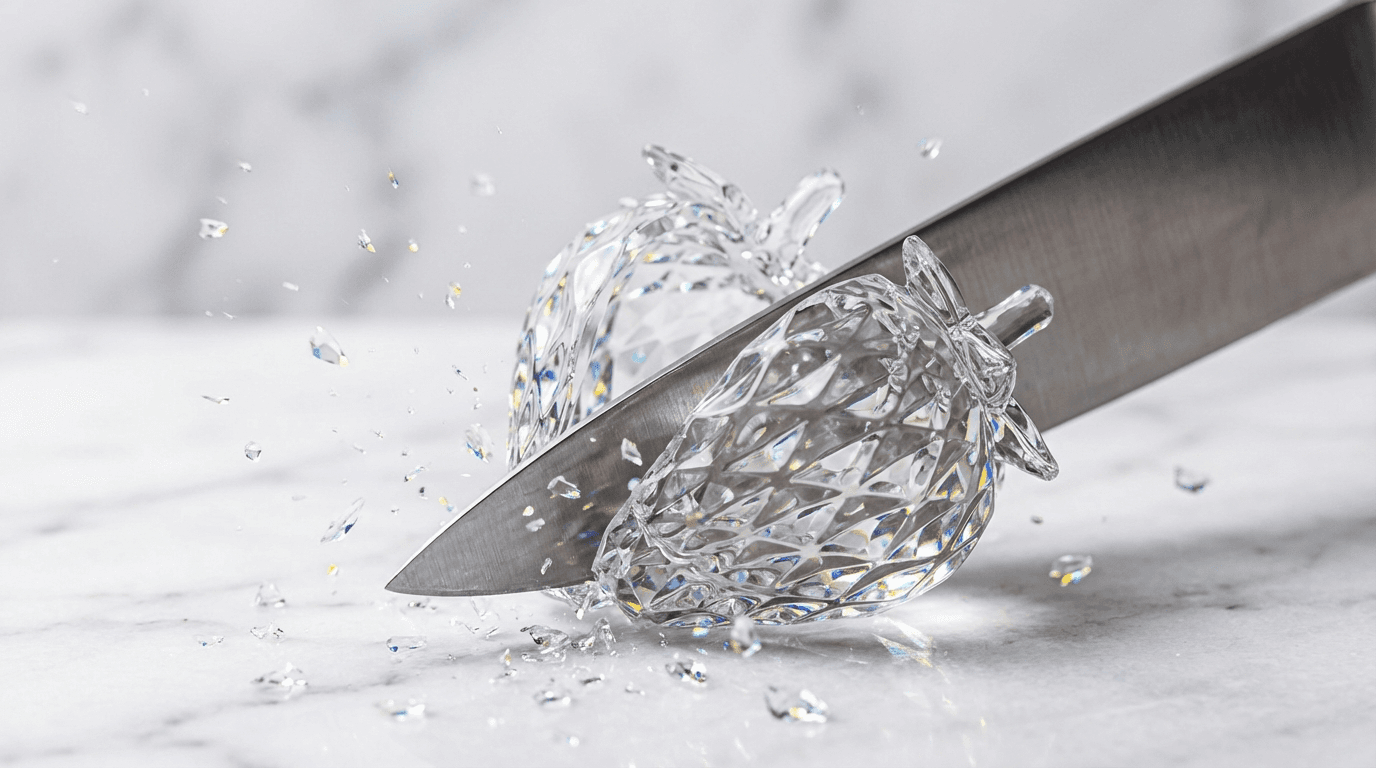

Those mesmerizing AI videos of crystal-clear glass fruits being sliced in half, with every crack, shatter, and tinkle perfectly synced, have completely taken over TikTok and YouTube Shorts. I've been making them for the past few weeks, and the engagement is unreal. One 30-second clip of a glass strawberry being cut pulled more views than anything else I've ever posted.
The best part? You don't need any 3D software, sound design experience, or even a microphone. Modern AI video generators handle the visuals and the audio in a single generation. This tutorial walks you through the entire process, from writing your first prompt to posting a finished clip.
What Are AI Glass ASMR Videos?
AI glass ASMR videos show hyper-realistic glass versions of everyday objects, usually fruits, vegetables, or food items, being sliced, crushed, or shattered. The visual appeal comes from the impossible material physics: transparent, crystalline objects that fracture with satisfying precision. The audio component triggers an ASMR response, that pleasant tingling sensation from crisp, delicate sounds.
What makes these videos uniquely suited to AI is that they're physically impossible to film in real life. You can't actually make a perfectly transparent glass watermelon and slice it with a knife. But AI video models can generate these scenes with remarkable realism, complete with light refraction, internal fracture patterns, and synchronized cutting sounds.
The format exploded in early 2026, with compilations on YouTube pulling millions of views and individual TikTok clips regularly hitting 1-5 million. The SERP for "how to make AI glass ASMR videos" is almost entirely YouTube results, there's barely any written tutorials out there, which is exactly why I'm writing this one.
Why Glass ASMR Videos Go Viral
Three things make this format absurdly shareable:
- Satisfying + impossible, the human brain loves watching things break in predictable, satisfying ways. Glass shattering is inherently satisfying. Glass fruit shattering is novel enough to stop the scroll.
- Sound does the heavy lifting, ASMR content has a built-in audience of hundreds of millions. The crunching, tinkling, slicing sounds trigger a visceral response that keeps people watching (and re-watching).
- Zero barrier to binge, each clip is 15-60 seconds. Viewers watch one, the algorithm serves them five more. Compilations of 10-12 hours (yes, hours) of glass cutting are getting millions of views on YouTube.
What You Need to Get Started
The toolkit is surprisingly simple:
- AI video generator, this is the core tool. You need one that generates both video and sound together. I use Flashloop's video generator, which supports models like Veo 3 and Kling 3.0 that produce audio natively with the video.
- A prompt library, I'll give you mine below. The prompt is 80% of the result quality.
- Video editor (optional), CapCut or any free editor for trimming, adding text overlays, or compiling multiple clips together. Many creators skip this entirely and post raw AI output.
That's it. No image generation step, no voiceover, no complex pipeline. This is one of the simplest AI video formats to produce, which is part of why it's so popular.
Step 1: Write Your Glass ASMR Prompt
The prompt is everything. A vague prompt gives you a blurry, unrealistic result. A well-crafted prompt gives you a clip that looks like it was rendered in a Hollywood VFX studio.
Here's the anatomy of a great glass ASMR prompt:
- Material description, specify "transparent crystal glass" or "clear borosilicate glass" rather than just "glass." The more specific you are about the material, the more realistic the output.
- Object identity, what fruit or object is made of glass? Be specific: "a life-sized glass watermelon with visible seeds inside" is better than "a glass watermelon."
- The cutting action, describe how it's being cut. A sharp chef's knife slicing smoothly? A cleaver chopping down? The action determines the sound and visual style.
- Surface and setting, a marble countertop with soft studio lighting gives a premium feel. A wooden cutting board feels more rustic. The setting affects light refraction through the glass.
- Sound cues, if your AI model generates audio (Veo 3 does), mention the sounds you want: "satisfying glass cracking sound," "crisp shattering," "delicate tinkling of glass fragments."
- Camera angle, close-up macro shots work best for ASMR. Specify "extreme close-up," "macro lens," or "slow motion" to get the most satisfying visual detail.
Pro tip: Always include "ASMR" somewhere in your prompt. AI models trained on video data associate this word with close-up, high-detail, sound-focused content, exactly what you want.
Step 2: Generate Your Video with AI
Once your prompt is ready, head to your AI video generator. Here's my workflow using Flashloop:
- Open the video creation page and paste your prompt
- Select a model that generates audio natively, Veo 3 is ideal for ASMR because it creates synchronized sound effects without any post-production
- Set aspect ratio to 9:16 (vertical) for TikTok/Shorts, or 16:9 for YouTube long-form compilations
- Generate and review, you'll usually want to generate 3-5 variations and pick the best one
Not every generation will be perfect. Common issues to watch for:
- Glass doesn't look transparent enough, add "crystal clear," "see-through," or "transparent with light refraction" to your prompt
- Cutting action looks unrealistic, try specifying the knife type and motion direction: "a sharp stainless steel chef's knife slowly pressing down through the center"
- Audio is weak or missing, make sure you're using a model with native audio generation. If you're stuck with a silent model, you'll need to add sound effects in post (more on this below)
Step 3: Add Sound Design (If Needed)
If you're using Veo 3 through Flashloop, the audio is generated alongside the video, you can skip this step entirely. The model produces realistic glass cracking, shattering, and tinkling sounds that are already synced to the visuals.
If you're using a model without native audio, here's how to add ASMR sound:
- Freesound.org, search for "glass breaking," "glass cutting," or "crystal shatter." Free, high- quality sound effects with Creative Commons licenses.
- Layer multiple sounds, combine a sharp "crack" with a softer "tinkle" of fragments. The layering creates a more satisfying ASMR experience.
- Sync precisely, the sound MUST match the exact frame where the cut happens. Even a 200ms offset kills the satisfying feeling. Use CapCut's timeline zoom to get frame-accurate sync.
Honestly, native audio generation is so much easier that I'd recommend using a model that supports it. The manual sound design route adds 10-15 minutes per clip, which adds up fast if you're making compilations.
Step 4: Edit and Optimize for TikTok/YouTube Shorts
For single clips, you might not need to edit at all, many top- performing glass ASMR videos are just raw AI output with a text overlay. But if you want to stand out:
- Trim the first and last second, AI-generated videos often have a brief "settling" moment at the start and end. Cut straight to the action.
- Add a text hook, "Glass strawberry 🍓" or "Wait for the sound 🔊" at the top of the frame. Simple but effective for stopping the scroll.
- Loop it, if the clip works as a seamless loop, TikTok will replay it automatically, boosting watch time metrics.
- Compile for YouTube, stitch 20-50 clips together for a 10-30 minute "1 Hour of Satisfying Glass Cutting" compilation. These are the videos pulling millions of views on YouTube.
Example Prompts That Actually Work
Here are the prompts I've tested that consistently produce great results. Copy them directly or use them as starting points:
Glass Strawberry
Extreme close-up ASMR video of a sharp chef's knife slowly slicing through a life-sized transparent crystal glass strawberry on a white marble countertop. The glass fractures with satisfying cracking sounds as the knife passes through. Tiny glass seeds visible inside. Soft studio lighting with beautiful light refraction through the glass. Slow motion. Macro lens.
Glass Watermelon
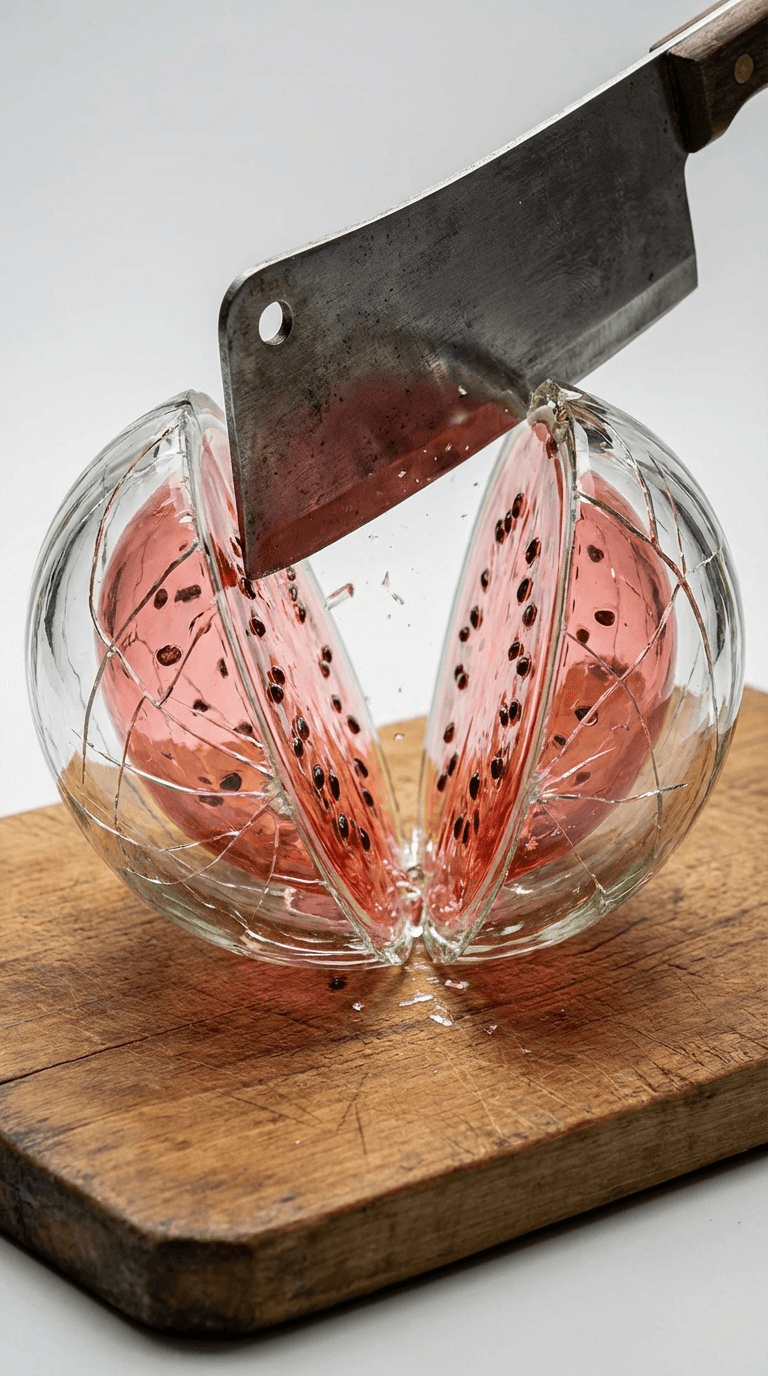
Close-up ASMR video of a large transparent glass watermelon being split in half with a cleaver on a wooden cutting board. The glass shell cracks and falls apart revealing translucent pink glass flesh with dark glass seeds inside. Satisfying deep cracking sound followed by tinkling glass fragments. Studio lighting, macro detail, slow motion.
Glass Kiwi
Macro ASMR shot of a crystal clear glass kiwi being cut in half with a small paring knife. The cross-section reveals intricate glass seed patterns and a translucent green interior. Delicate glass cracking sounds. White marble surface, soft natural lighting from the side, extreme close-up.
Glass Orange
Satisfying ASMR video of a transparent amber glass orange being peeled by hand. Glass segments separate with crisp snapping sounds. Each segment is translucent with visible glass pulp texture inside. Close-up macro shot on a dark slate surface with dramatic side lighting. Glass fragments scatter with tinkling sounds.
Glass Grapes
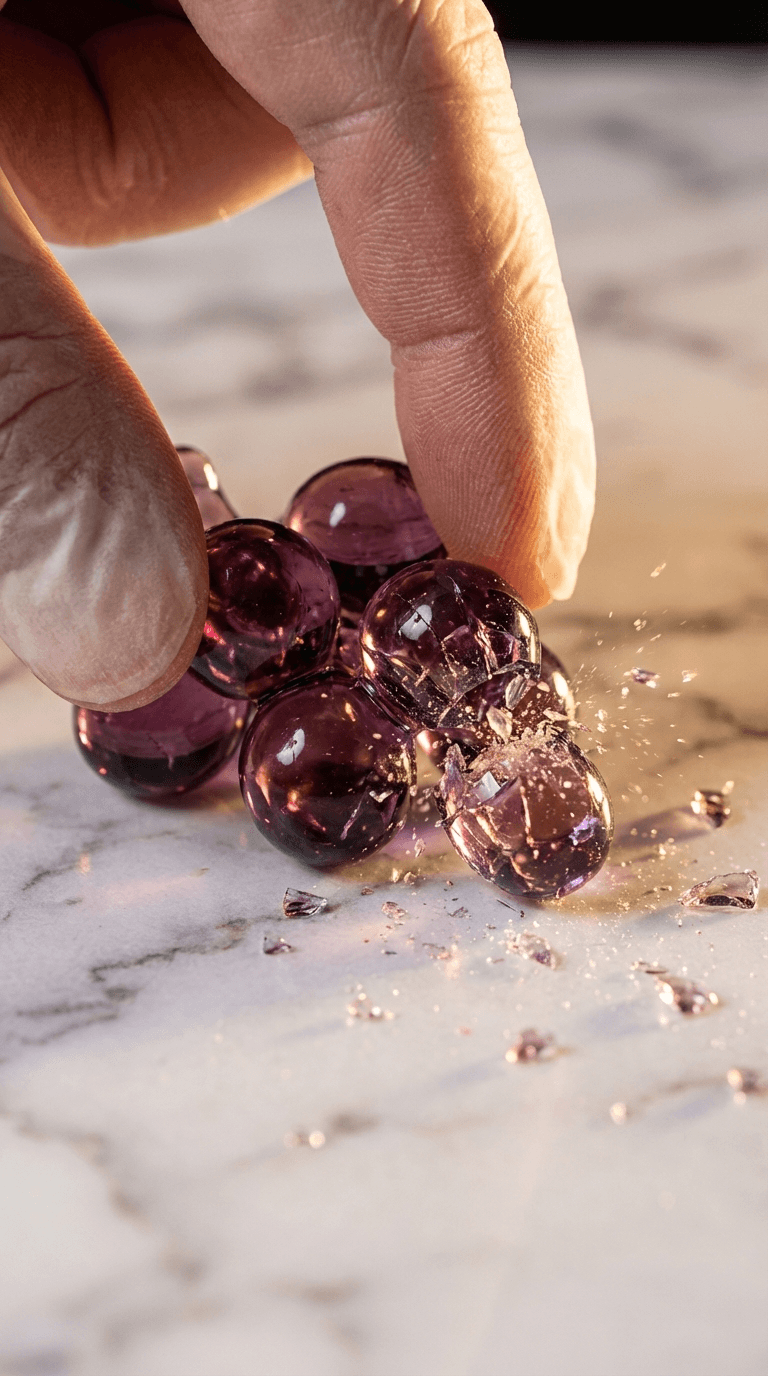
ASMR close-up of transparent purple glass grapes being crushed one by one between fingers. Each grape shatters with a satisfying pop and crunch, tiny glass fragments sparkling in studio light. Marble surface, macro lens, slow motion capture of each crush with crystal clear audio.
Glass Broccoli
Extreme close-up ASMR of a large transparent green glass broccoli being cut with a sharp knife on a wooden cutting board. The glass florets shatter individually with delicate tinkling sounds as the knife moves through the crown. The stem cracks with a deeper sound. Studio lighting, macro detail, slow motion.
Tips for Making Your Videos More Satisfying
- Slower is better, specify "slow motion" in every prompt. The slower the cut, the more satisfying the fracture pattern and sound.
- Lighting matters more than you think, side lighting or backlighting makes glass look dramatically better than flat front lighting. Specify the lighting direction in your prompt.
- Vary your objects, don't just do fruits. Glass vegetables, glass candy, glass cakes, glass sushi, anything edible made of glass works. The novelty keeps viewers interested across multiple videos.
- The sound carries the video, if the audio isn't crisp and satisfying, the video won't perform, no matter how beautiful the visuals. Always prioritize sound quality.
- Generate in batches, I typically generate 10 variations per prompt and pick the best 2-3. The hit rate for "perfect" clips is about 20-30%.
Best AI Tools for Glass ASMR Videos
Here's what I've tested for this specific format:
| Tool | Native Audio | Best For |
|---|---|---|
| Flashloop | Yes (via Veo 3, Kling 3.0) | All-in-one: image gen + video gen + audio in one platform. Best for this workflow. |
| Runway Gen-4 | No | High visual quality but requires manual audio |
| Kling AI (standalone) | Yes | Good quality, separate platform from image gen |
| Veo 3 (Google AI Studio) | Yes | Excellent audio, but requires Google Cloud access |
For glass ASMR specifically, native audio generation is a dealbreaker. Models without it produce silent clips that need manual sound design, which defeats the purpose of a quick AI workflow. Flashloop gives you access to multiple audio-capable models in one place, so you can compare outputs and pick the best one per clip.
FAQ
What AI tool makes glass ASMR videos?
AI video generators like Flashloop, Google Veo 3, and Kling 3.0 can generate glass ASMR videos from text prompts. The key is using a model that generates synchronized audio alongside the video, so the cracking and shattering sounds match the visuals perfectly.
How do I make the glass look realistic in AI videos?
Specificity in your prompt is key. Describe the exact type of glass ("transparent crystal," "borosilicate," "clear with light refraction"), add details about what's visible inside the glass object, and always specify the lighting setup. Side lighting and backlighting produce the most realistic glass effects.
Can I make AI ASMR videos for free?
Some platforms offer free tiers or trial credits. Google AI Studio provides limited free access to Veo 3. Flashloop's pricing includes credits that let you generate several videos before committing. The quality difference between free and paid tiers is usually in resolution and generation limits, not the actual output quality.
What prompts work best for glass cutting ASMR?
The most effective prompts include five elements: the glass material description, the specific object, the cutting tool and action, the surface/lighting setup, and explicit sound cues. Always include "ASMR," "macro," "close-up," and "slow motion" for best results. Check the example prompts section above for copy-paste templates.
How long should AI ASMR videos be?
For TikTok and YouTube Shorts, 15-30 seconds per clip is the sweet spot. For YouTube long-form, compile 20-50 clips into 10-30 minute compilations, "1 Hour of Satisfying Glass Cutting" videos consistently pull millions of views.
Glass ASMR is one of the fastest-growing AI video formats right now, and it's also one of the easiest to get started with. No character design, no scripting, no voiceover, just a great prompt and a model that handles audio. Start with the example prompts above, generate a few clips, and post the best ones. You might be surprised how quickly they take off.
Ready to make your first glass ASMR video? Try it on Flashloop's video generator, just paste one of the prompts above and hit generate.