Updated · 14 min read
Leonardo.Ai Alternatives for Image Makers Moving to Video

Leonardo.Ai is still an image maker's playground, but video is tugging at its sleeve. This list starts with that fork: double down on images, or move toward motion without losing your mind.
Try Flashloop
In this article
Leonardo.Ai is a Canva-owned platform for generating and editing AI images and videos, on web, iOS and Android. It is image-first: it trains its own Lucid Origin, Lucid Realism and Phoenix models, lets you train LoRAs (Elements) on your own images, and runs 34 video models next to that, including Seedance 2.5, Kling 3.0, Veo 3.1 and its own Motion 2.0. There is a permanent free plan, and paid plans start at $12 a month.
People still look for a Leonardo.Ai alternative. Reviewers talk about prompt filters, public free-plan outputs, tokens that disappear when a subscription ends, and flagship video models that always cost tokens, even on Premium and Ultimate. The overlap with Flashloop's video list is large, so the useful comparison is workflow and billing, not whether Seedance or Kling exist somewhere else. Start with the quick answer, then jump to the tool you care about.
What are the best alternatives to Leonardo.Ai?
- 1.FlashloopWe build thisBest overall: video-first Seedance, Kling, Veo and Wan, without public free-plan outputs
- 2.KreaBest for node-based workflows across dozens of video models
- 3.OpenArtBest for character and world building before video
- 4.ImagineArtBest for a large app library and image models at a similar price
- 5.PixlrBest if you need a classic photo editor, not just generative tools
- 6.Magnific (formerly Freepik)Best for stock, design and AI in one Canva-adjacent stack
- 7.RunwayBest for professional video and studio formats
We ran the same prompt through three AI video models
Leonardo.Ai is image-first, but a lot of the switching conversation is about video, and no single model wins every generation. We uploaded the same reference image and sent the same prompt to Seedance 2.5, Kling 3.0 and Veo 3 inside Flashloop, without tuning the prompt for any of them.
See the exact prompt and reference image

Common complaints from Leonardo.Ai users
Leonardo.Ai's Essential plan costs $12 a month, or $10 a month billed yearly, for 8,500 tokens. Beyond price, these are the complaints that come up most in public reviews.
Treat these as a pattern, not the whole picture. Leonardo.Ai's Trustpilot score is 4.6 from 1,465 reviews, its iOS app holds 4.83 stars from 10,835 US ratings, and its Android app has 10M+ downloads with a 4.7 rating. Paid plans bank unused tokens for up to three months, refunds are assessed by support under Australian Consumer Law, and cancellation takes effect at the end of the billing period. For comparison, Flashloop's own terms say all purchases are final and non-refundable, and plan credits don't roll over.
How we compared these Leonardo.Ai alternatives
We build Flashloop, so we're not a neutral third party. We use Flashloop and the models inside it every day, including Seedance 2.5, Kling 3.0, Veo 3 and Wan 3.0.
For Leonardo.Ai and the other six tools, we checked each one's live pricing page, model list, App Store and Google Play listings and public reviews in September 2026. We didn't test them hands-on, so their sections show the product's homepage instead of a generated clip. Every tool gets the same quick summary: video models, free plan, starting price, mobile app and biggest limitation.
1. Flashloop: best overall Leonardo.Ai alternative

- Video models
- Seedance 2.5, Kling 3.0, Veo 3, Wan 3.0, MiniMax H3 Max, Gemini Omni, Grok Imagine and more
- Free plan
- No, paid plans only
- Starting price
- $19/mo (Starter, with video models such as Veo 3 and Seedance 2.0 Mini). Seedance 2.5, Kling 3.0 and every other model start on Creator at $59/mo, or $47/mo billed annually
- Mobile app
- iOS and Android
- Biggest limitation
- No free plan, and it isn't built for studio formats like ProRes
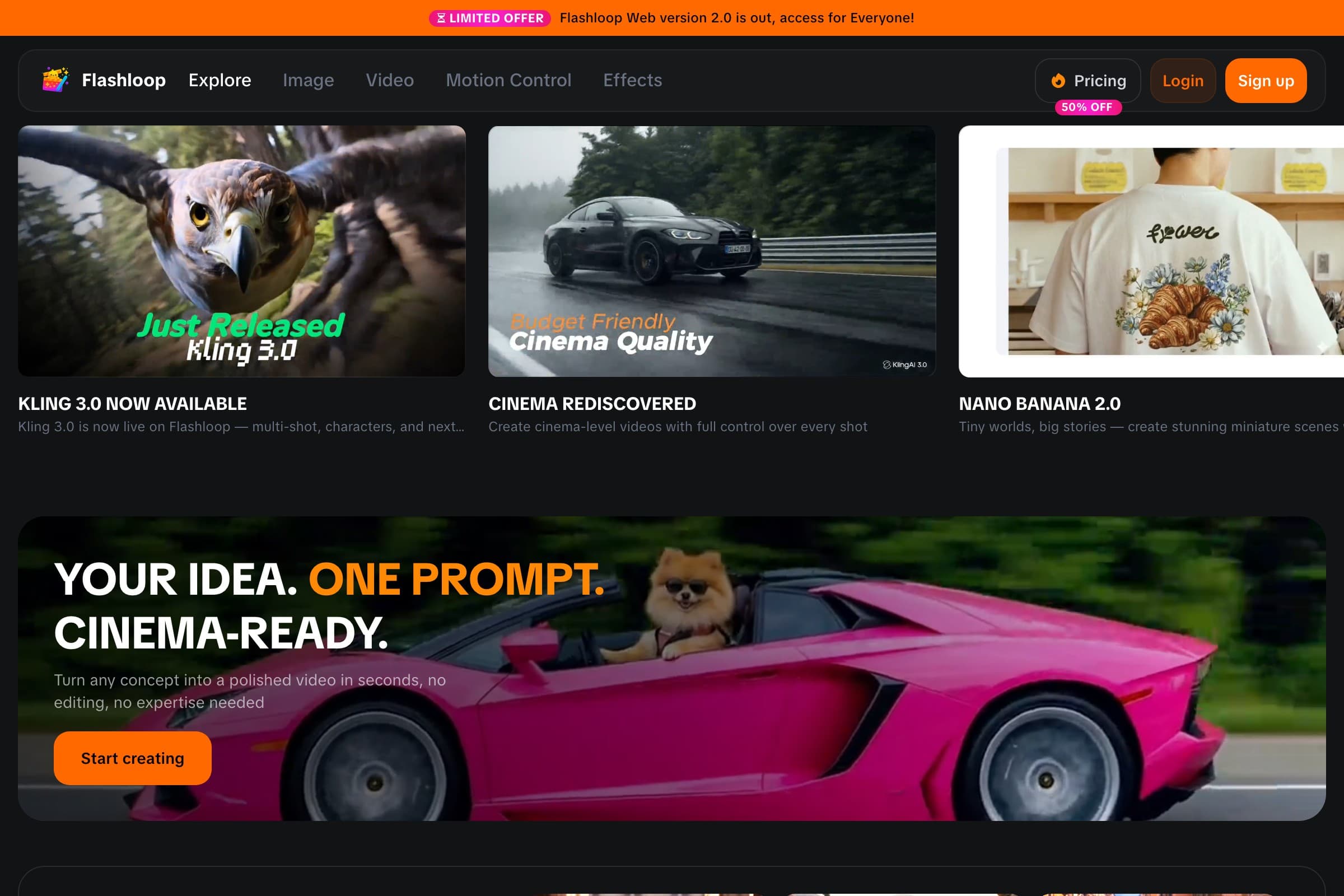
The biggest difference is not the video catalog. Leonardo.Ai already lists Seedance 2.5, Kling 3.0, Wan 3.0 and MiniMax H3, plus Veo 3.1, which Flashloop does not run on web. Flashloop currently includes video models such as Kling 3.0, Kling 3.0 Turbo, Seedance 2.5, Seedance 2.0, Wan 3.0, MiniMax H3 Max, Veo 3, Gemini Omni and Grok Imagine, plus image models such as Nano Banana Pro, GPT Image 2.5 and Seedream 5.0 Lite, across web, iOS and Android. What it does not copy is Leonardo's LoRA training, Realtime Canvas, 3D generation or Canva handoff. What Leonardo's public pages don't show is Flashloop's trend Apps, voice cloning and dubbing, and video generation through MCP.
One thing to know before switching: Flashloop has no free plan. The $19 Starter plan includes standard video models such as Veo 3 and Seedance 2.0 Mini, but Kling 3.0 and Seedance 2.5 start on Creator at $59 a month, or $47 a month billed annually.
Around those models, Flashloop has a Character Builder for reusable characters and an Apps library built around repeatable formats and internet trends, such as Sports Anime, Claymation, Viral Skeleton and Glass ASMR. Instead of training an Element or picking a Blueprint, you start from a working workflow and customize it.

There are also Motion Control and Recast workflows on higher plans, and you can connect Flashloop to AI assistants through MCP, so tools like ChatGPT, Claude or Cursor can generate with Kling, Veo, Seedance and Wan while the results still land in your Flashloop library. Leonardo.Ai also has an MCP connector, but it is for images and needs an API key. Flashloop also turns a script into a voiceover, clones a voice, and dubs a clip into 32 languages with lip-sync. Leonardo.Ai lists text to speech with Seed Audio and music with Music v1, with no voice cloning or dubbing found on its public pages.
Flashloop vs Leonardo.Ai
| Feature | Flashloop | Leonardo.Ai |
|---|---|---|
| LoRA / | No | Yes, Elements |
| Free plan | No | 150 tokens/ |
| Voice cloning and dubbing | Yes | TTS only |
| Trend-based Apps library | Yes | Blueprints |
| 3D model generation | No | Yes, Rodin V2 |
| MCP / | Video and image | Images only |
| Starting paid price | $19/ | $12/ |
| Seedance 2.5 and Kling 3.0 | Yes | Yes |
| Mobile app (iOS + Android) | Yes | Yes |
| Web app | Yes | Yes |
Where Flashloop is better
Pick Flashloop over Leonardo.Ai when video, voice and repeatable formats matter more than image training, especially if you keep asking questions like:
- “Can I make this viral format with my own character?”
- “Can I clone my voice or dub this clip into another language?”
- “Can I generate video from ChatGPT, Claude or Cursor?”
- “Can I keep every model in one library without public free-plan outputs?”
Where Leonardo.Ai is better
Leonardo.Ai is stronger if you train image models. Elements are LoRAs trained on your own images, with 10, 20 or 50 personal models a month on Essential, Premium and Ultimate. It has a permanent free plan with 150 tokens a day, and Essential is $12 a month. Premium keeps generating images in unlimited relaxed mode on Leonardo-hosted models such as Lucid Origin, Phoenix and FLUX Dev after tokens run out. Ultimate adds relaxed video on Motion 2.0. Realtime Canvas turns sketches into images as you draw. It also makes 3D models with Rodin V2, and individual users can send an image to Canva in one click. If that image-training loop, the free plan or the Canva handoff is why you use Leonardo.Ai, staying there makes sense.
If you already use Leonardo.Ai for Seedance or Kling but want trend workflows, voice cloning and a video-first library, I'd start with Flashloop. You keep those model families. Leonardo.Ai is still the better pick for LoRA training and a free plan.
If LoRAs, a free plan or Canva are the point, keep reading: the next tools specialize differently.
2. Krea: best for node-based workflows

- Video models
- Seedance 2.5, Kling 3.0, Veo 3.1, Runway Gen-4.5, Wan 3.0, MiniMax H3 and more (34 in its video library)
- Free plan
- Yes: 100 compute units a day, no credit card, but free video is limited to 2 LTX-2 clips a day
- Starting price
- $9/mo (Basic, not shown to every visitor), or $35/mo for Pro with all video models
- Mobile app
- iOS only
- Biggest limitation
- Reviewers report trouble cancelling and slow support. Priority support starts on Business
Krea is the closest multi-model workspace on this list if you like comparing models yourself. Its video library lists 34 models, including Seedance 2.5, Kling 3.0, Veo 3.1, Runway Gen-4.5 and Wan 3.0, and you can run the same prompt through several of them.
Krea Nodes chains models into reusable workflows, which is a different shape from Leonardo.Ai's Blueprints. Pro ($35 a month, or $21 a month billed annually) is the cheapest plan with every video model. Its free plan gives 100 compute units a day, but free video is limited to 2 LTX-2 clips a day, and its app is iOS only. Leonardo.Ai has Android as well, plus LoRA training that Krea is not built around.
Choose Krea if you want to wire your own visual pipelines across a large video set. Choose Flashloop if you want those pipelines already packaged around creator trends, on iOS and Android.
3. OpenArt: best for characters and worlds

- Video models
- Seedance 2.5, Kling 3.0, Veo 3.1, Wan 3.0, MiniMax H3, Gemini Omni Flash and more
- Free plan
- No ongoing free plan: a 7-day trial with 40 credits and no videos
- Starting price
- $14/mo, or $13/mo billed annually (Starter). Commercial use starts on Plus ($34/mo)
- Mobile app
- No, it runs in mobile browsers
- Biggest limitation
- Credit costs are hard to predict, especially in the Director story tool
OpenArt is the closest match if Elements are the reason you opened Leonardo.Ai. Even its Starter plan includes about 13 personalized model trainings a month, and OpenArt Worlds generates 3D environments you can place characters in. Its Director tool turns ideas into multi-shot stories.
The catalog includes Seedance 2.5, Kling 3.0, Veo 3.1, Wan 3.0 and MiniMax H3. There is no ongoing free plan, only a 7-day trial without videos, no official mobile app, and commercial use starts on Plus at $34 a month. Starter is $14 a month.
OpenArt fits creators who train characters and worlds before animating them. If you want a free plan and a phone app, Leonardo.Ai still covers that better. Video-first creators should look at Flashloop or Krea first.
4. ImagineArt: best for apps at a similar price

- Video models
- Seedance 2.5, Kling 3.0, Veo 3.1, Wan 3, MiniMax Hailuo H3, Runway 4.5, Sora 2 (in Apps) and more (38 in the video picker, 44 in docs)
- Free plan
- Yes: 100 credits a day, limited to models such as ImagineArt 1.0 Lite and Flux Dev. Video generation needs a paid plan
- Starting price
- $13/mo (Basic, 3,000 credits). Video needs a paid plan. The page opens on Yearly at $9/mo for Basic. Seedance 2.5 unlimited is advertised on Creator at $250/mo, or $175/mo billed yearly
- Mobile app
- iOS and Android
- Biggest limitation
- Video is locked behind a paid plan, unused plan credits do not roll over, and reviewers report yearly charges and refunds that are hard to get. The pricing page opens on Yearly
ImagineArt sits in the same price band as Leonardo.Ai: Basic is $13 a month, or $9 a month billed yearly. It is another image-and-video studio with its own ImagineArt image models, Imagine Apps, node-based Workflows, Film Studio and official iOS and Android apps.
Its video picker lists Seedance 2.5, Kling 3.0, Veo 3.1, Wan 3 and more, and docs also describe a Sora 2 app. The tradeoffs vs Leonardo.Ai are sharp: video needs a paid plan, unused plan credits do not roll over, and the pricing page opens on yearly billing. Leonardo.Ai's free plan can generate some videos (watermarked, public), and paid tokens can roll over for up to three months while you stay subscribed. ImagineArt does not replace Elements-style LoRA training.
Choose ImagineArt if you want a large app library at about the same monthly price. Stay on Leonardo.Ai if LoRAs or a usable free video allowance matter more.
5. Pixlr: best if you need a real photo editor

- Video models
- Seedance 2.5, Kling 3.0, Veo Fast 3.1, Wan 2.7, MiniMax H3, Vidu Q3 and more (27 in its video model list)
- Free plan
- Yes, with ads, 3 saves a day and 20 AI credits for new accounts
- Starting price
- $2.49/mo, or $1.99/mo billed annually (Plus, 80 AI credits). Premium, with access to all image and video models, is $9.99/mo, or $7.99/mo billed annually
- Mobile app
- iOS and Android
- Biggest limitation
- Reviewers report unwanted renewals, refused refunds and a content filter that flags ordinary images
Pixlr is a browser photo editor that added AI image and video on top. Pixlr Editor is layer-based. Pixlr Express is for quicker AI edits. That is a different product from Leonardo.Ai's Canvas inpainting and prompt-based Omni edits, and from Flashloop, which has no classic photo editor: no layers, brushes, filters or background-remover tool.
The AI side lists Seedance 2.5, Kling 3.0, Veo Fast 3.1, Wan 2.7 and MiniMax H3, among 27 video models. Plus is $2.49 a month. Access to all image and video models starts on Premium at $9.99 a month, or $7.99 a month billed annually. Free use comes with ads, 3 saves a day and 20 AI credits for new accounts. There is no LoRA trainer.
Choose Pixlr if layers and a real editor are the job, and AI video is extra. Choose Flashloop if you want the video models without a photo editor bundled in.
6. Magnific (formerly Freepik): best for a design stack

- Video models
- Veo 3.1, Gemini Omni, Seedance 2.5, Kling 3.0, Runway Gen-4.5, Wan 3.0, MiniMax H3 and more
- Free plan
- Yes, limited: up to 20 in-house AI image generations a day, personal use with attribution
- Starting price
- $20/mo, or $14.50/mo billed annually (Premium)
- Mobile app
- iOS and Android
- Biggest limitation
- Billing complaints, and some models are moving from Unlimited to credits at renewal
Magnific, the new name for Freepik since April 2026, is the other design-platform option on this list. Leonardo.Ai is a Canva brand. Magnific bundles image, video and audio models, including Kling 3.0, Veo 3.1 and Seedance 2.5, with a stock library, editing tools, upscalers and the Spaces node-based canvas. Leonardo.Ai has no stock library.
If you want stock assets next to AI, that bundle can be worth more than another generator. Premium starts at $20 a month, or $14.50 a month billed annually. If most of what you make is short AI clips, you may pay for a lot you don't use. Reviewers also report billing complaints, and some models are moving from Unlimited to credits at renewal.
Magnific suits design teams that need stock and layout tools. Leonardo.Ai still fits Canva users who train image models. For a solo creator mainly making AI videos, I'd put Flashloop or Krea ahead of it.
7. Runway: best for professional video

- Video models
- Gen-4.5 and Aleph 2.0 (its own), plus Seedance 2.5, Kling 3.0, Veo 3.1, Wan 3.0 and Grok Imagine
- Free plan
- Yes: 125 one-time credits, and free videos carry a watermark
- Starting price
- $15/mo, or $12/mo billed annually (Standard, 625 credits)
- Mobile app
- iOS and Android
- Biggest limitation
- Reviewers say credits go on off-prompt results and refunds are refused
Runway trains its own video models, such as Gen-4.5 and Aleph 2.0, and also runs Kling 3.0, Seedance 2.5, Veo 3.1, Wan 3.0 and Grok Imagine. Leonardo.Ai has no timeline editor and no studio formats like ProRes. Runway's Max and team plans add those.
Standard starts at $15 a month, or $12 billed annually, and the free plan gives 125 one-time credits with watermarked videos. It has official iOS and Android apps. It does not offer Leonardo-style LoRA training or a daily free token allowance.
Pick Runway if you're directing a film or need studio formats. Pick Flashloop if you're producing a lot of creator content. Stay with Leonardo.Ai if image training is still the core job.
Leonardo.Ai alternatives compared
Monthly prices for each tool's cheapest paid plan, checked in September 2026. None of these are first-month offers. ImagineArt's pricing page opens on yearly billing, which is cheaper than its $13 monthly Basic plan.
| Tool | Free plan | Starting price | Mobile app |
|---|---|---|---|
| Flashloop | Free plan: No | Starting price: $19/mo | Mobile app: iOS + Android |
| Krea | Free plan: Yes, 100 units/day | Starting price: $9/mo | Mobile app: iOS only |
| OpenArt | Free plan: 7-day trial | Starting price: $14/mo | Mobile app: No |
| ImagineArt | Free plan: Yes, 100/day | Starting price: $13/mo | Mobile app: iOS + Android |
| Pixlr | Free plan: Yes, with ads | Starting price: $2.49/mo | Mobile app: iOS + Android |
| Magnific (formerly Freepik) | Free plan: Limited | Starting price: $20/mo | Mobile app: iOS + Android |
| Runway | Free plan: 125 credits once | Starting price: $15/mo | Mobile app: iOS + Android |
| Leonardo.Ai | Free plan: 150 tokens/day | Starting price: $12/mo | Mobile app: iOS + Android |
How to compare pricing
Monthly subscription prices alone can be misleading. Video models use very different numbers of credits depending on the model, resolution, duration and settings. Before you switch, check:
- Cost per usable output, not tokens per month. On Leonardo.Ai, Seedance 2.5, Kling 3.0 and Veo 3.1 always cost tokens and are excluded from unlimited relaxed generation, even on Premium and Ultimate.
- Which plan unlocks what you actually run. Veo on Leonardo.Ai is paid-only. On Flashloop, Kling 3.0 and Seedance 2.5 start on Creator, not Starter. On Pixlr, all video models start on Premium, not Plus.
- The renewal price, not the yearly tab. Leonardo.Ai shows monthly by default, with yearly billed at $10 / $24 / $48 a month. ImagineArt opens on yearly. There is no first-month promo on Leonardo.Ai's public pricing page.
- What switching costs. Elements (LoRAs) and Canva handoff do not move with you. If you only needed another video model, one multi-model plan can cost less than a second subscription, but you still have to rebuild trained image models.
Leonardo.Ai's pricing and promotions change, so check its current pricing page before deciding.
So, what is the best Leonardo.Ai alternative?
For most AI video creators, Flashloop is the best overall Leonardo.Ai alternative because you keep Seedance, Kling, Veo and Wan, add trend Apps, voice cloning and dubbing, and avoid public free-plan outputs. Leonardo.Ai remains the better image-training studio, and it is cheaper to start, with a real free plan.
But I wouldn't recommend the same tool to everybody.
- Choose Flashloop if you want video-first models, trend workflows and a phone app, without public free-plan outputs.
- Choose Krea if you want to experiment, compare models and build node workflows.
- Choose OpenArt if you train characters and worlds before video.
- Choose ImagineArt if you want a large app library at a similar monthly price.
- Choose Pixlr if you need a classic photo editor and AI video is extra.
- Choose Magnific if you need stock, design tools and AI in one stack.
- Choose Runway if you're making professional cinematic work or need studio formats.
And if you train Elements, rely on the 150-token free plan, Realtime Canvas or the Canva handoff, the right answer might be to stay with Leonardo.Ai. The best alternative is the one that removes the part of your workflow that slows you down.
Frequently asked questions
What is the best Leonardo.Ai alternative?
Flashloop is the best overall Leonardo.Ai alternative for creators who want Seedance, Kling, Veo and Wan in a video-first app, with trend workflows, voice cloning and dubbing, and iOS and Android. Leonardo.Ai already carries many of the same video models, so the switch is about workflow, privacy on free work, and how video is billed, not about finding those models for the first time.
Krea is a strong alternative if you want a node canvas, and OpenArt if you train characters and worlds before video.
Is Flashloop better than Leonardo.Ai?
It depends on the workflow.
Flashloop is a better fit if you want ready-made trend Apps, reusable characters, voice cloning and dubbing, and video generation through MCP. Leonardo.Ai is the better fit if you train LoRAs (Elements), want its own Lucid and Phoenix image models, need a permanent free plan, or send images into Canva. Flashloop has no LoRA training and no free plan. Flagship video models such as Seedance 2.5, Kling 3.0 and Veo 3.1 still cost tokens on every Leonardo.Ai plan, including Premium and Ultimate.
What is the best free Leonardo.Ai alternative?
Krea's free plan gives you 100 compute units a day with no credit card, though free video is limited to 2 LTX-2 clips a day. Pixlr can be used without paying, with ads, 3 saves a day and 20 AI credits for new accounts. ImagineArt gives 100 credits a day, but video generation needs a paid plan. Runway gives 125 one-time credits with watermarked videos. Flashloop has no free plan.
Leonardo.Ai itself has a permanent free plan with 150 tokens a day. Those creations are public, free videos are watermarked, and not every video model is open to free users. Free tiers change often, so check the current limits before choosing a platform around them.
Which Leonardo.Ai alternative is cheaper?
There isn't a universal answer. Leonardo.Ai's cheapest paid plan is Essential at $12 a month, or $10 a month billed yearly. Among the alternatives, Pixlr Plus starts at $2.49 a month, but access to all image and video models starts on Premium at $9.99 a month. Krea Basic is $9 a month, ImagineArt Basic is $13 a month, OpenArt Starter is $14 a month, Runway Standard is $15 a month and Flashloop Starter is $19 a month.
Cheaper plans often leave out the newest models. On Flashloop, Seedance 2.5 and Kling 3.0 start on Creator at $59 a month, or $47 a month billed annually. On Leonardo.Ai those models are listed from Essential, but they always cost tokens and never run in unlimited relaxed mode.
Does Leonardo.Ai have a mobile app?
Yes. Leonardo.Ai has official iOS and Android apps, both listed as Leonardo.Ai - Image Generator. There is no official Mac or Windows desktop app. Among the alternatives, Flashloop, ImagineArt, Pixlr, Magnific and Runway have iOS and Android apps, Krea has an iOS app, and OpenArt has no official app.
Can I train my own image models on Flashloop?
No. Flashloop does not offer personal model or LoRA training. Leonardo.Ai's Elements feature trains LoRAs on your own images, with 10, 20 or 50 personal models a month on Essential, Premium and Ultimate. If that training loop is why you use Leonardo.Ai, OpenArt is the closer alternative on this list: even its Starter plan includes about 13 personalized model trainings a month.
Do I still get Seedance, Kling and Veo if I leave Leonardo.Ai?
Yes, on several of these platforms. Flashloop, Krea, OpenArt, ImagineArt, Magnific and Runway all list Seedance 2.5 and Kling 3.0. Flashloop runs Veo 3, not Veo 3.1. Leonardo.Ai, Krea, OpenArt, ImagineArt, Magnific and Runway list Veo 3.1. Pixlr lists Veo Fast 3.1 and Veo Lite 3.1.
Sora 2 is not a reason to stay or switch for Flashloop: Flashloop does not offer Sora, and Leonardo.Ai removed Sora 2 and Sora 2 Pro in July 2026 after a provider-side change by OpenAI. Its pricing FAQ still naming Sora 2 is out of date.

Victor Saisse is a Founding Engineer at Flashloop, where he builds the web and mobile apps and the AI model integrations behind them.