Updated · 14 min read
VEED Alternatives for Editing, Captions or AI Video (2026)

VEED is an editor, caption machine, avatar studio and AI playground sharing one browser tab. Useful, yes. Small, no. This guide separates the best replacements by the job you actually need done.
Try Flashloop
In this article
VEED is a browser-based video editor from London's Veed Limited, built for social, marketing and business video. It combines a timeline with auto subtitles, brand kits and stock media, AI avatars and AI dubbing, plus an AI Playground with 26 video models, including Seedance 2.5, Kling 3.0 and Veo 3.1.
People look for a VEED alternative for other reasons: surprise renewals, credits that run out on premium models, features locked to "Try once" or a higher plan, or wanting Wan 3.0, MiniMax H3 Max and Grok Imagine next to Seedance and Kling without living in an editor. Start with the quick answer, then jump to the tool you care about.
First decide whether you need an editor
- 1.FlashloopWe build thisBest overall: Seedance, Kling, Veo and Wan, without editor-first pricing
- 2.invideoBest for an agent that drafts and edits longer videos
- 3.ArtlistBest for royalty-free stock plus the same AI video models
- 4.Magnific (formerly Freepik)Best for stock, design tools and AI video in one stack
- 5.PippitBest for short social ads, avatars and publishing
- 6.RunwayBest for studio filmmaking around generated clips
- 7.HedraBest for Hedra's own talking-character models
Three generators walk into an editor
VEED's AI Playground lists Seedance 2.5, Kling 3.0 and Veo 3.1, but no single model wins every generation. We uploaded the same reference image and sent the same prompt to Seedance 2.5, Kling 3.0 and Veo 3 inside Flashloop, without tuning the prompt for any of them.
See the exact prompt and reference image

Where VEED users hit friction
VEED's Creator plan costs $25 a month, or $12.25 a month billed annually, for 500 credits. Prices are per user. Beyond price, these are the complaints that come up most in public reviews.
Treat these as a pattern, not the whole picture. VEED's Trustpilot score is 4.2 from 3,856 reviews on veed.io, and VEED Lite holds 4.84 stars from 19,725 US ratings. Reviewers also praise the editor and accurate subtitles. For comparison, Flashloop's own terms say all purchases are final and non-refundable, and plan credits don't roll over.
How we compared an editor to generators
We build Flashloop, so we're not a neutral third party. We use Flashloop and the models inside it every day, including Seedance 2.5, Kling 3.0, Veo 3 and Wan 3.0.
For VEED and the other six tools, we checked each one's live pricing page, model list, App Store and Google Play listings and public reviews in September 2026. We didn't test them hands-on, so their sections show the product's homepage instead of a generated clip. Every tool gets the same quick summary: video models, free plan, starting price, mobile app and biggest limitation.
1. Flashloop: best overall VEED alternative

- Video models
- Seedance 2.5, Kling 3.0, Veo 3, Wan 3.0, MiniMax H3 Max, Gemini Omni, Grok Imagine and more
- Free plan
- No, paid plans only
- Starting price
- $19/mo (Starter, with video models such as Veo 3 and Seedance 2.0 Mini). Seedance 2.5, Kling 3.0 and every other model start on Creator at $59/mo, or $47/mo billed annually
- Mobile app
- iOS and Android
- Biggest limitation
- No free plan, and it isn't built for studio formats like ProRes
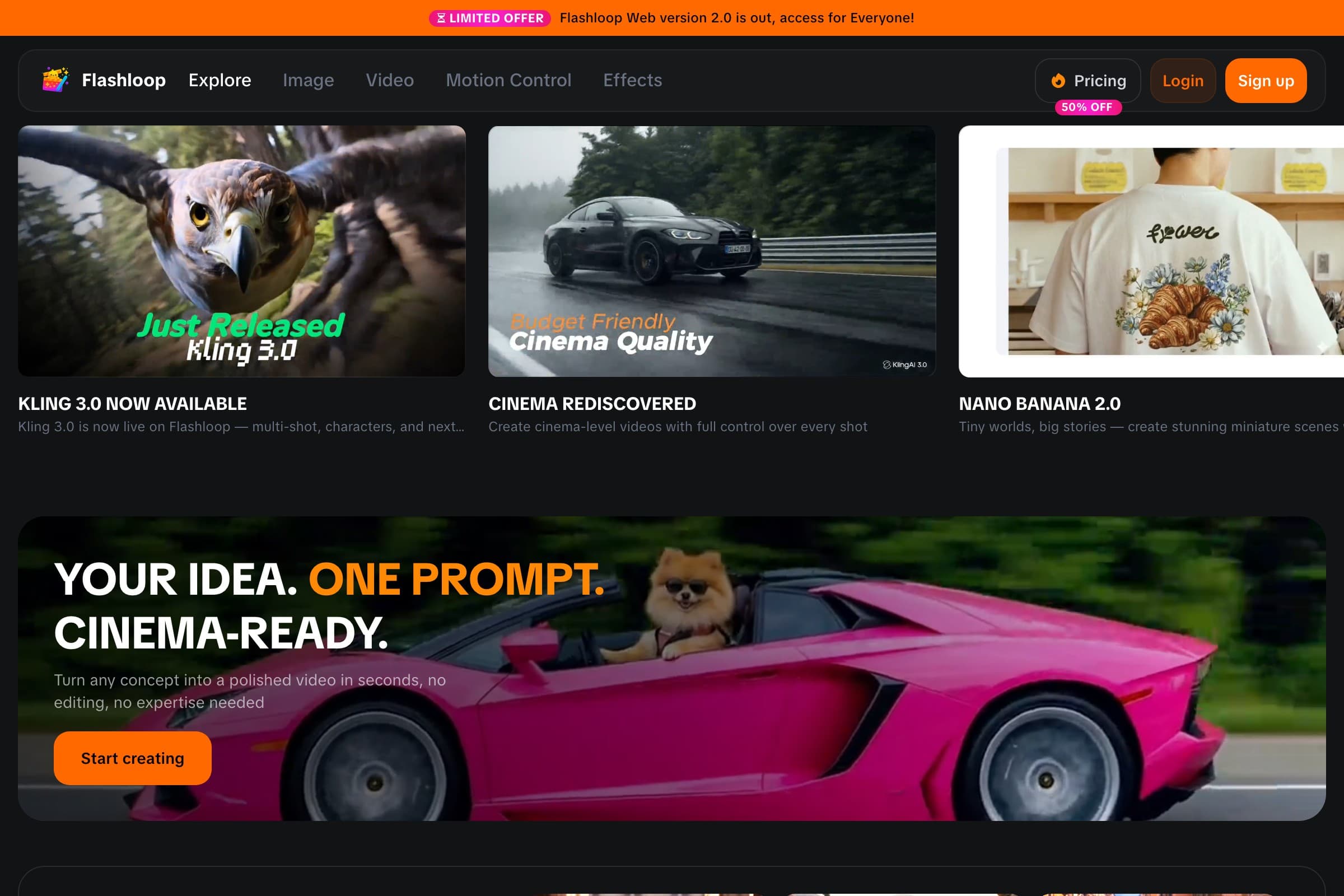
The biggest difference is simple: VEED is an editor with an AI Playground on credits, while Flashloop is built around generating with several model families. Flashloop currently includes video models such as Kling 3.0, Kling 3.0 Turbo, Seedance 2.5, Seedance 2.0, Wan 3.0, MiniMax H3 Max, Veo 3, Gemini Omni and Grok Imagine, plus image models such as Nano Banana Pro, GPT Image 2.5 and Seedream 5.0 Lite, across web, iOS and Android. It has no timeline editor, auto captions or avatar library.
One thing to know before switching: the $19 Starter plan includes standard video models such as Veo 3 and Seedance 2.0 Mini, but Kling 3.0 and Seedance 2.5 start on Creator at $59 a month, or $47 a month billed annually.
Around those models, Flashloop has a Character Builder for reusable characters and an Apps library built around repeatable formats and internet trends, such as Sports Anime, Claymation, Viral Skeleton and Glass ASMR. Instead of working out the prompt structure for a format from scratch, you start from a working workflow and customize it.

There are also Motion Control and Recast workflows on higher plans, and you can connect Flashloop to AI assistants through MCP, so tools like ChatGPT, Claude or Cursor can generate with Kling, Veo, Seedance and Wan while the results still land in your Flashloop library.
Flashloop vs VEED
| Feature | Flashloop | VEED |
|---|---|---|
| Timeline video editor | No | Yes |
| Auto captions | No | Yes |
| AI avatar library | No | Yes, 60+ stock |
| Stock media library | No | Yes |
| Free plan | No | Yes, watermarked |
| Mobile app | iOS + Android | iOS only |
| Wan 3.0 | Yes | No |
| Seedance 2.5 and Kling 3.0 | Yes | Yes |
| Image generation | Yes | Yes |
| Web app | Yes | Yes |
Where Flashloop is better
Pick Flashloop over VEED when the editor is extra and the models are the work, especially if you keep asking questions like:
- “Would Seedance, Kling or Veo handle this shot better if I could switch models in one place?”
- “Can I make this viral format with my own character?”
- “Can I generate on Android as well as iOS?”
- “Can I keep Seedance, Kling, Veo and Wan in one library?”
Where VEED is better
VEED is a full browser editor, so you can cut, subtitle and brand a clip in the same place, with SRT, VTT and TXT downloads on paid plans. It has 60+ stock avatars, a custom avatar from one recording, and Fabric 1.0 for making a character image talk. Pro adds AI dubbing with lip-sync and translation into 50+ languages, plus 4K exports. There is a free plan, and annual billing roughly halves Creator from $25 to $12.25 a month. VEED Lite holds 4.84 stars from 19,725 US ratings. If those are why you use VEED, staying there makes sense.
If you like VEED's models but don't need the editor, captions or avatars, I'd start with Flashloop. You keep Seedance and Kling, and you add Wan 3.0, MiniMax H3 Max and Grok Imagine in the same library.
If your work needs something different, keep reading: the next tools specialize differently.
2. invideo: best for an agent that drafts and edits longer videos

- Video models
- Seedance 2.5, Kling 3.0, Veo 3.1, Sora 2, Wan 3.0, MiniMax H3, Runway Gen-4.5 and more (help center says 200+ models)
- Free plan
- Yes: limited credits that reset each Monday UTC, no card required, and free-plan downloads can carry a watermark
- Starting price
- $20/mo per seat (Starter, 400 credits). Seedance 2.5 and Agent Two Pro/Ultra start on Plus at $60/mo. Annual list price matches monthly unless a checkout promo applies
- Mobile app
- iOS and Android
- Biggest limitation
- Reviewers say agent generations burn credits fast, including on failed takes, and refunds stop once anything has been generated
invideo is still an editor, which is why VEED users land here. Agent Two drafts generations across a large model library, then results land on a multitrack timeline. Its help center says 200+ models, including Seedance 2.5, Kling 3.0, Veo 3.1, Wan 3.0 and Runway Gen-4.5. It has official iOS and Android apps.
Starter is $20 per seat a month for 400 credits, with Agent Two Lite and Seedance 2.0 Fast and Mini only. Seedance 2.5 and Agent Two Pro and Ultra start on Plus at $60 per seat a month. There is a free plan with weekly credits. Reviewers say agent generations burn credits fast, including on failed takes, and refunds stop once anything has been generated.
Choose invideo if you want an agent to write and cut a longer video. Choose Flashloop if you want to pick the model yourself and skip the editor-first workflow.
3. Artlist: best for royalty-free stock plus the same AI video models

- Video models
- Seedance 2.5, Kling 3.0, Veo 3.1, Sora 2, Wan 3.0, MiniMax H3 Max, Grok Imagine and more (100+ models). Artlist Original 1.0 is its own image model, not a video model
- Free plan
- Yes: no card and no time limit, with a small set of test generations that cannot be downloaded, plus watermarked stock previews
- Starting price
- $19.99/mo (AI Starter, 16,500 credits), or $11.99/mo billed annually. Seedance 2.5, Kling 3.0 and Veo 3.1 stay on credits; yearly Unlimited on AI Core starts at $23.99/mo billed annually
- Mobile app
- No official iOS or Android app. There is a Premiere Pro plugin, plus Artlist Hub plugins for major NLEs
- Biggest limitation
- Flagship clips such as Seedance 2.5 stay on credits, and a 2026 unlimited Seedance offer was withdrawn within days
Artlist is a licensed stock catalog plus an AI toolkit. VEED already includes stock audio and video on paid plans. Artlist goes further with music, SFX, footage, templates and LUTs, next to 100+ models including Seedance 2.5, Kling 3.0, Veo 3.1, Sora 2 and Wan 3.0.
AI Starter is $19.99 a month, or $11.99 a month billed annually. Seedance 2.5, Kling 3.0 and Veo 3.1 stay on credits. There is no official iOS or Android app. The free trial lets you generate a small set of tests that cannot be downloaded. If you mainly need auto captions and a timeline, Artlist is a different product than VEED.
Choose Artlist if licensed stock is half the job and you still want the same AI video models. Choose Flashloop if you mainly generate clips and do not need a stock bundle.
4. Magnific (formerly Freepik): best for stock, design tools and AI video in one stack

- Video models
- Veo 3.1, Gemini Omni, Seedance 2.5, Kling 3.0, Runway Gen-4.5, Wan 3.0, MiniMax H3 and more
- Free plan
- Yes, limited: up to 20 in-house AI image generations a day, personal use with attribution
- Starting price
- $20/mo, or $14.50/mo billed annually (Premium)
- Mobile app
- iOS and Android
- Biggest limitation
- Billing complaints, and some models are moving from Unlimited to credits at renewal
Magnific, the new name for Freepik since April 2026, combines image, video and audio models, including Kling 3.0, Veo 3.1 and Seedance 2.5, with a stock library of 250M+ photos, videos, vectors and PSDs, plus editing tools, upscalers and the Spaces node-based canvas.
Premium starts at $20 a month, or $14.50 a month billed annually, and there are iOS and Android apps. If AI video is only one part of your design work, that bundle can be worth more than an editor-first tool. If most of what you make is short AI clips or captioned social videos, you may pay for a lot you don't use. Reviewers also report billing complaints.
Magnific suits design teams. For a solo creator mainly making AI videos, I'd put Flashloop or invideo ahead of it.
5. Pippit: best for short social ads, avatars and publishing

- Video models
- Dreamina Seedance 2.5, 2.0, 2.0 Fast, 2.0 Mini and 1.0. Footer links name Veo 3.1 and Sora 2, which were not in the US homepage picker
- Free plan
- Yes: daily credits, no credit card. Watermark removal and advanced models start on paid plans
- Starting price
- $9/mo (Starter, 1,575 credits, shown vs a $15 list price), or $101/yr. Advanced models start on Starter
- Mobile app
- Official iOS and Android apps from BYTEDANCE PTE. LTD. The US App Store lookup returns no result
- Biggest limitation
- Trustpilot reviews report credits spent on failed or off-prompt videos, slow support, and refunds that are hard to get
Pippit is a CapCut-powered creative agent for marketers and shops. You type a prompt, or paste a product link, and it builds marketing videos, posters and talking-avatar clips, then can schedule posts. The US homepage picker is Seedance versions, including Seedance 2.5. Footer links name Veo 3.1 and Sora 2, which were not in that picker.
Starter is $9 a month (shown against a $15 list price) for 1,575 credits, with a free plan of daily credits. It has official iOS and Android apps from ByteDance, though the US App Store lookup returned no result. It is not a VEED-style timeline editor, and Kling is not in the US picker. Trustpilot reviews report credits spent on failed or off-prompt videos.
Choose Pippit if short ads, avatars and publishing are the job. Choose Flashloop if you want Kling and Wan next to Seedance, without the marketing-agent layer.
6. Runway: best for studio filmmaking around generated clips

- Video models
- Gen-4.5 and Aleph 2.0 (its own), plus Seedance 2.5, Kling 3.0, Veo 3.1, Wan 3.0 and Grok Imagine
- Free plan
- Yes: 125 one-time credits, and free videos carry a watermark
- Starting price
- $15/mo, or $12/mo billed annually (Standard, 625 credits)
- Mobile app
- iOS and Android
- Biggest limitation
- Reviewers say credits go on off-prompt results and refunds are refused
Runway trains its own video models, such as Gen-4.5 and Aleph 2.0, and also runs Kling 3.0, Seedance 2.5, Veo 3.1, Wan 3.0 and Grok Imagine. That is a different job than VEED's social editor: directing generated clips, not auto-captioning them.
Its Max and team plans add studio formats like ProRes and image sequences, and it has official iOS and Android apps. Standard starts at $15 a month, or $12 billed annually, and the free plan gives 125 one-time credits. Reviewers say credits go on off-prompt results and refunds are refused.
Pick Runway if you're directing a film or need studio formats. Pick Flashloop if you're producing a lot of creator content.
7. Hedra: best for Hedra's own talking-character models

- Video models
- Hedra Character 3 and Hedra Avatar (its own), plus Seedance 2.5, Kling V3, Veo 3.1, Wan 3.0 and MiniMax H3 (49 video models)
- Free plan
- Limited free use with no credit card. Commercial use needs a paid plan. Watermark is confirmed for cancelled users, not as a published free-plan rule
- Starting price
- $15/mo (Basic, 1,500 credits a month with slower generations). No annual price is shown on its pricing page
- Mobile app
- No, it runs in mobile browsers
- Biggest limitation
- Reviewers report refused refunds after renewals and credits spent on unusable results
If VEED's avatars and Fabric 1.0 are the reason you stay, Hedra is the specialist. Hedra Character 3 and Hedra Avatar sit next to 47 third-party video models, including Seedance 2.5, Kling V3, Veo 3.1, Wan 3.0 and MiniMax H3, in an agent workspace with a timeline editor.
Basic is $15 a month for 1,500 credits, with slower generations. There is limited free use and no official mobile app. Commercial use needs a paid plan. Reviewers report refused refunds after renewals and credits spent on unusable results.
Choose Hedra if talking-character models are the product. Choose Flashloop if you want Seedance, Kling, Veo and Wan for short creator clips, knowing Flashloop has no avatar library.
VEED alternatives by actual job
Monthly prices for each tool's cheapest paid plan, checked in September 2026. VEED has no first-month offer. Pippit's $9 Starter is shown against a $15 list price.
| Tool | Free plan | Starting price | Mobile app |
|---|---|---|---|
| Flashloop | Free plan: No | Starting price: $19/mo | Mobile app: iOS + Android |
| invideo | Free plan: Yes, weekly credits | Starting price: $20/mo | Mobile app: iOS + Android |
| Artlist | Free plan: Limited trial gens | Starting price: $19.99/mo | Mobile app: No |
| Magnific (formerly Freepik) | Free plan: Limited | Starting price: $20/mo | Mobile app: iOS + Android |
| Pippit | Free plan: Yes, daily credits | Starting price: $9/mo | Mobile app: iOS + Android |
| Runway | Free plan: 125 credits once | Starting price: $15/mo | Mobile app: iOS + Android |
| Hedra | Free plan: Yes, limited | Starting price: $15/mo | Mobile app: No |
| VEED | Free plan: Yes, watermarked | Starting price: $25/mo | Mobile app: iOS only |
The bundle math nobody enjoys
Monthly subscription prices alone can be misleading. Video models use very different numbers of credits depending on the model, resolution, duration and settings. Before you switch, check:
- Cost per usable output, not credits per month. VEED Creator includes 500 credits. One 8-second Veo 3.1 clip is 310 credits on its pricing table, so a few attempts can empty the month.
- Which plan unlocks what you need. AI dubbing is "Try once" on VEED Creator and starts as monthly minutes on Pro at $45. Flashloop's Kling 3.0 and Seedance 2.5 start on Creator at $59.
- The renewal price, not the annual card. VEED's pricing page opens on yearly billing. Creator is $25 a month, or $12.25 a month billed annually ($147 a year). There is no first-month promo on the US cards we checked.
- What switching costs. VEED bills per editor seat. If you mainly generate clips and edit elsewhere, one multi-model plan can cost less than an editor subscription plus a second generator.
VEED's pricing and promotions change, so check its current pricing page before deciding.
My VEED alternative, with one big caveat
For most AI creators, Flashloop is the best overall VEED alternative because you keep Seedance and Kling and add Veo, Wan and more, with creator workflows, reusable characters and an iOS and Android app, without paying for a timeline you may not use.
But I wouldn't recommend the same tool to everybody.
- Choose Flashloop if you want Seedance, Kling, Veo and Wan without an editor-first plan.
- Choose invideo if you want an agent that drafts and edits longer videos.
- Choose Artlist if you need royalty-free stock plus the same AI video models.
- Choose Magnific if AI generation is only one part of a larger design workflow.
- Choose Pippit if short social ads, avatars and publishing are the job.
- Choose Runway if you're making professional cinematic work or need studio formats.
- Choose Hedra if Hedra's own talking-character models are what you want.
And if you rely on the timeline, auto captions, a stock avatar library or Pro dubbing, the right answer might be to stay with VEED. The best alternative is the one that removes the part of your workflow that slows you down.
Frequently asked questions
What is the best VEED alternative?
Flashloop is the best overall VEED alternative for creators who want Seedance, Kling, Veo and Wan without paying for a full browser editor. It supports those model families plus MiniMax, Gemini Omni and Grok Imagine, with character and trend-based workflows on web, iOS and Android.
invideo is a closer swap if you still want a timeline and an agent that drafts longer videos. Artlist fits if licensed stock is the other half of the job.
Is Flashloop better than VEED?
It depends on the workflow.
Flashloop is a better fit if you want to switch between Seedance, Kling, Veo 3 and Wan 3.0 in one app, with reusable characters and trend-based formats, plus iOS and Android. VEED is the better fit if you need a timeline editor, auto captions with SRT downloads, a stock avatar library, AI dubbing on Pro, a free plan or 4K exports.
Does VEED have Sora 2?
Not in the live AI Playground picker or rate table checked on September 16, 2026. VEED still has Sora 2 landing pages, but those pages are not a substitute for the live model list. Flashloop does not offer Sora either.
What is the best free VEED alternative?
VEED itself has a free plan with watermarked 720p exports up to 10 minutes, and free AI credits only in some regions. Among alternatives, invideo gives limited credits that reset each Monday UTC, Pippit gives daily credits, Magnific has a limited free plan, and Runway gives 125 one-time credits with watermarked videos. Artlist's free trial generations cannot be downloaded. Flashloop has no free plan.
Free tiers change often, so check the current limits before choosing a platform around them.
Which VEED alternative is cheaper?
There isn't a universal answer. VEED's Creator plan is $25 a month, or $12.25 a month billed annually, for 500 credits. The cheapest paid entry points among the alternatives were $9 a month on Pippit Starter, $15 a month on Hedra Basic and Runway Standard, $19 a month on Flashloop Starter, $19.99 a month on Artlist AI Starter and $20 a month on Magnific Premium and invideo Starter.
Flashloop's flagship models such as Seedance 2.5 and Kling 3.0 start on Creator at $59 a month. Cheaper plans often leave out the models you actually use, so compare cost per clip.
Does Flashloop have auto captions or AI avatars?
No. Flashloop has no timeline editor, auto captions or avatar library. It can turn a script into a voiceover, swap a voice, clone a voice and dub a clip into 32 languages with lip-sync when the source is a video. If captions, a stock presenter library or a browser timeline are the job, VEED, invideo or Hedra are closer matches.
Does VEED have a mobile app?
VEED has iOS apps (VEED and VEED Lite). Android is on a waitlist, and there is no desktop app. Among the alternatives, Flashloop, invideo, Magnific, Pippit and Runway have iOS and Android apps. Artlist and Hedra do not have official mobile apps. Pippit's US App Store lookup returned no result on the day we checked the listing.

Victor Saisse is a Founding Engineer at Flashloop, where he builds the web and mobile apps and the AI model integrations behind them.